Android tablets have notoriously had it tough ever since they got into the market. Historically, this is Apple's domain and their contest to lose, which is something they haven't done since the release of the original iPad nearly two decades ago. While companies like OnePlus and Samsung have consistently innovated with tremendously beefy devices and incredible screen technology, people just haven't shown up like you'd expect.
But as tablet sales continue to soar and people find themselves moving away from the enshittification of the Windows ecosystem, there has never been a better time for Android to showcase its robust offering to the public.
Which is where the OnePlus Pad Go 2 comes in. It isn't the flagship product for OnePlus' tablet line, but it might be the most important one nonetheless. Priced at 349€ for the entry level model with 8GB of RAM and 256GB of storage, it undercuts even the cheapest iPad by about 40€ and double the capacity.
As an entry-level, mid-range device, it's the kind of perfect Venn diagram of accessible but powerful enough to work as a productivity and entertainment daily driver that's hard to come by in this price range.
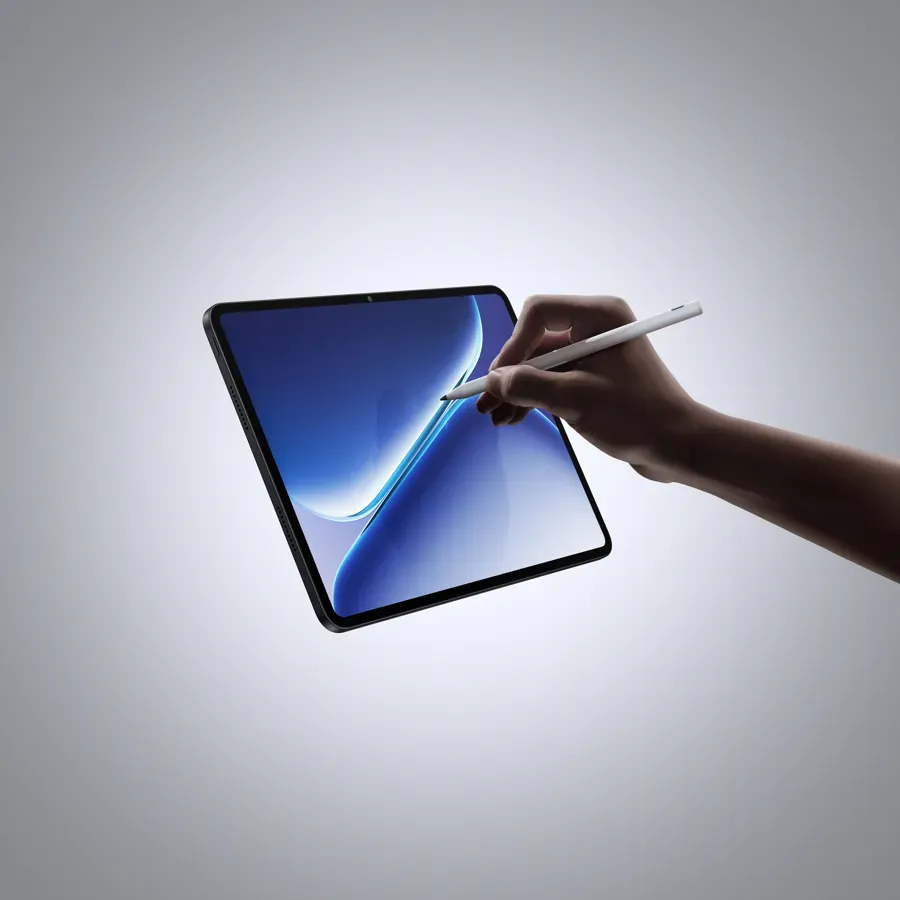
OnePlus Pad Go 2
+ Beastly specs for the price
+ Incredible battery life
+ Superb display
- 8GB of RAM is an issue
- No native keyboard or applicable case
Build and display quality
It's evidently clear from the moment you pick up the OnePlus Pad Go 2 that OnePlus hasn't skimped out on the materials. While nice and light at just 600 grams, the OnePlus Pad Go 2 is built from durable plastic and glass, both of which feel nice to the touch. The matte surface is quite a fingerprint magnet though, so if you have kids, you might want to invest in a case. Luckily, this is the same kind of protective matte coating that's found on the OnePlus 15, which means its extremely hard to scratch or dent.
There's no bend or flex anywhere on the device, either. During my one month with the OnePlus Pad Go 2, I took it everywhere as a portable media center and found it consistently far more durable than I had anticipated.
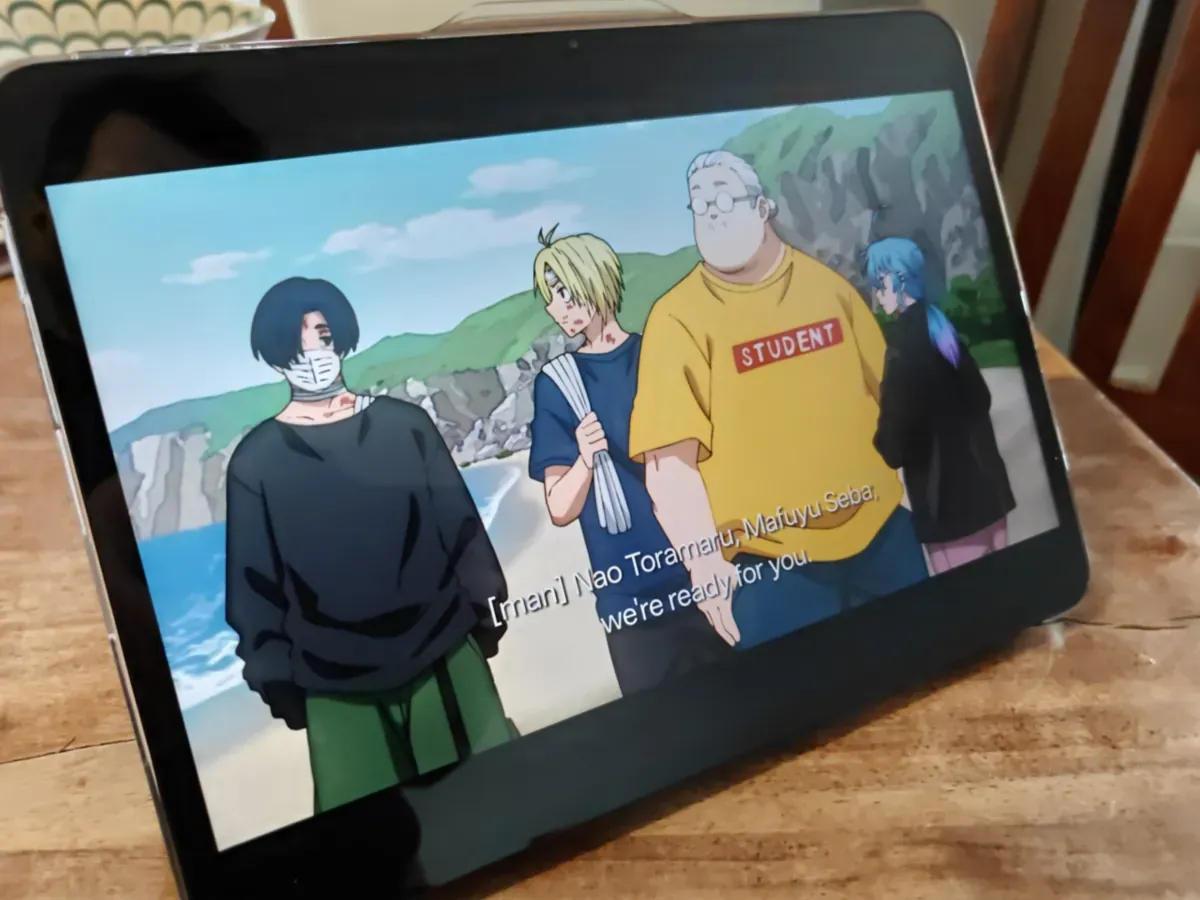
The 2800 x 1980 pixel display is LCD instead of OLED, which means it isn't the brightest or industry leading by any measure, but at this price point it is notably brilliant. Colors are punchy, the 120 Hz native refresh rate makes reading and gaming a joy, and the 900 nit brightness is just fine for even a sunny day. There's even HDR10+ support for Netflix and Disney+ viewing, which is very much appreciated for those of us who remain snooty about the experience.
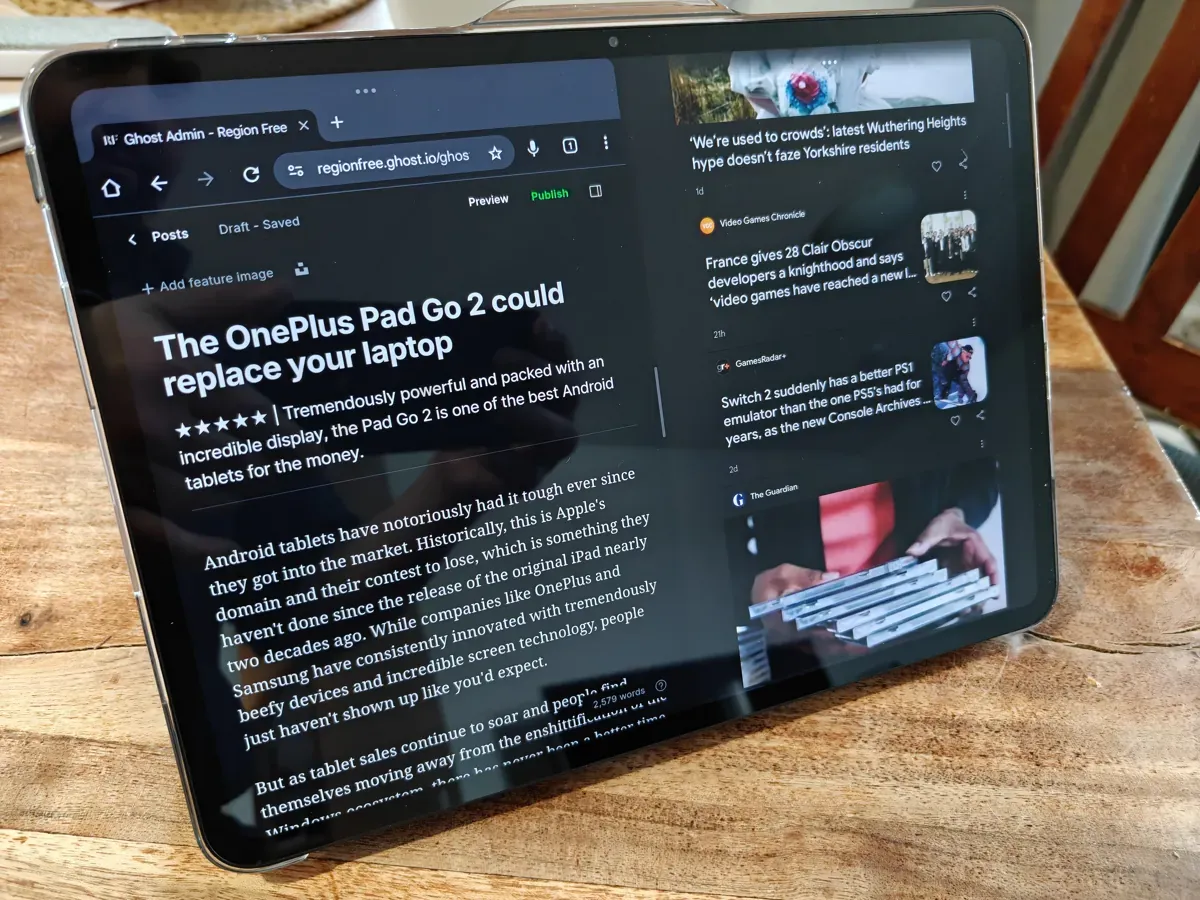
The panel is also in a slightly untraditional 7:5 aspect ratio, which OnePlus says is more efficient for productivity and media consumption. After a month with the tablet, I can certainly see where they're coming from, even as it still takes some getting used to coming from the 16:9 world. Using productivity apps is a particular joy, as is reading (especially comics), but I found myself still longing after the wider ratio for films. Though this is more of a purist complaint, as a tablet is never the ideal format for the cinema experience, no matter how fun it is.
The OnePlus Pad Go 2 has just one USB-C port, but I found the tablet plays very nicely with docks and USB-splitters, which made for some wonderfully janky homebrew setups on the road. There's also a MicroSD slot for physical expansion, which deserves all of the praise possible. I will always, always, always celebrate any product that allows for user choice on this level.
The Wi-Fi 6 connectivity and superb Bluetooth 5.4 connections are rock solid and transfer speeds are incredible even for large files. Thanks to the fantastic ecosystem and sharing capabilities of the Pad Go 2 and my OnePlus 15 (which I still daily drive after my review period), I've finally found a suitable Android alternative to Apple's previously unbeaten Airdrop.
Pairing to external devices works like a charm as well. During my time with the Pad Go 2, I've had it hooked up to a Bluetooth keyboard, the 8BitDo gaming controller, and my Sony headphones. I haven't experienced any drops in sound, input, or gaming even in the most demanding environments. In crowded airports and transit hubs, this kind of reliable portability is divine.
OnePlus promises 5 years of Android OS updates and 6 years of security patches, which is another feather in its cap. This is the kind of support every tablet should get across the line.
Battery life and charging
The OnePlus Pad Go 2 has a supremely capable 10 050 mAh battery, which is not removable from the device. In my testing, I could get an easy four days of mixed use out of tablet. This means writing documents in Google Docs, some drawing, a bit of light gaming (though heavier streaming like the NVidia GeForce Now is far more taxing), and occasional movies on Netflix.
When the battery drops to zero, the OnePlus Pad Go 2 offers a reasonable 33w SuperVOOC fast charge through the USB-C connection, though this again requires a OnePlus dedicated charging brick that doesn't come in the box. If you already have one from a previous OnePlus device, then you're good to go. Otherwise it's time to pony up a bit more for the convenience.
Charging from 0 to 100% takes just under two hours, though in most cases I ended up trickle charging the tablet anywhere between 25 and 80%. I rarely had issues where it felt like I was constantly searching for a power plug and even on longer road trips the OnePlus Pad Go 2 did exactly what I hoped a tablet would do: It just worked when I needed it to, and I didn't think about it any further.
It's that practicality which I already raved about in my OnePlus 15 review. I want my daily drivers to function in a way that I don't have to consider anything about them beyond their immediate use. That's why I've been an Apple user for so long and why I remain devoted to any ecosystem that helps me not to worry. As an autistic journalist and content creator, I already stress out about everything else, I don't want to do that for my gear.
The OnePlus Pad Go 2 as a laptop replacement
In daily use, I tried replacing my usual go-to laptop, the MacBook Air M4 with the OnePlus Pad Go 2 to see if it could work as an alternative. Naturally, it already fails because it doesn't have a dedicated keyboard case or even an official OnePlus accessory like its more expensive siblings. Luckily, I had my Razer Bluetooth keyboard still lying around after my review from last year.
After pairing the devices together, I set out some ground rules. I'd do all the work I could with the OnePlus Pad Go 2 and would mark down every instance where I either couldn't find a workable solution to my problem or got so frustrated with the workflow that I needed to switch back to my laptop.
One month later, here are the results:
I had two instances where I found myself frustrated enough to move back to the laptop. Both were cases where I can see myself learning to come to terms with the capabilities and limits of the tablet, but they are still frustrations.
These came during video editing, where I wanted to put together a VLOG from material recorded off my phone and the DJI Action 6. While the Pad Go 2 handled the phone footage superbly, I found it surprisingly annoying to get the footage from the Action 6 to sync up properly, and editing the 4K footage was just a bit too jittery for my taste due to the limited 8GB memory.
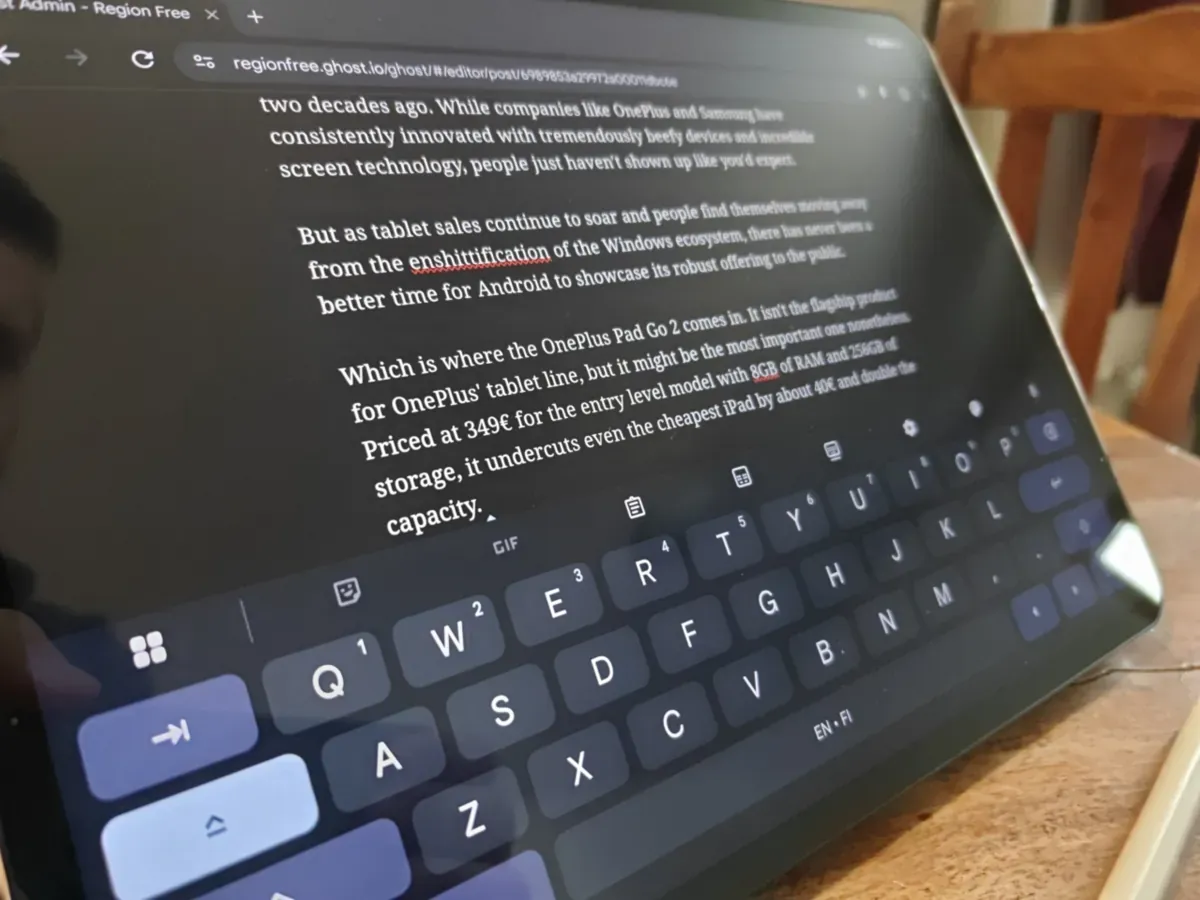
The other instance was with typing out a longer review (this one, in fact!), which I did entirely on the tablet after taking a moment to switch out my keyboard. This isn't particularly a fault with the OnePlus Pad Go 2, as the Razer Bluetooth keyboard has an American layout which feels unnatural for my European fingers. If and when OnePlus comes out with a new tablet that supports a native keyboard, I will replicate the test on a longer writing journey to see what happens.
Apart from those, I couldn't find anything major that would bothered me with the experience. Apps work just as well as the ones on a traditional laptop, and most of the things that I do on a daily work routine are almost entirely replicated on the Android ecosystem quite flawlessly. OnePlus also has such a healthy ecosystem of its own apps, including a terrific Notes variant that I've come to rely on heavily, that it's easy to find one to suit your needs.
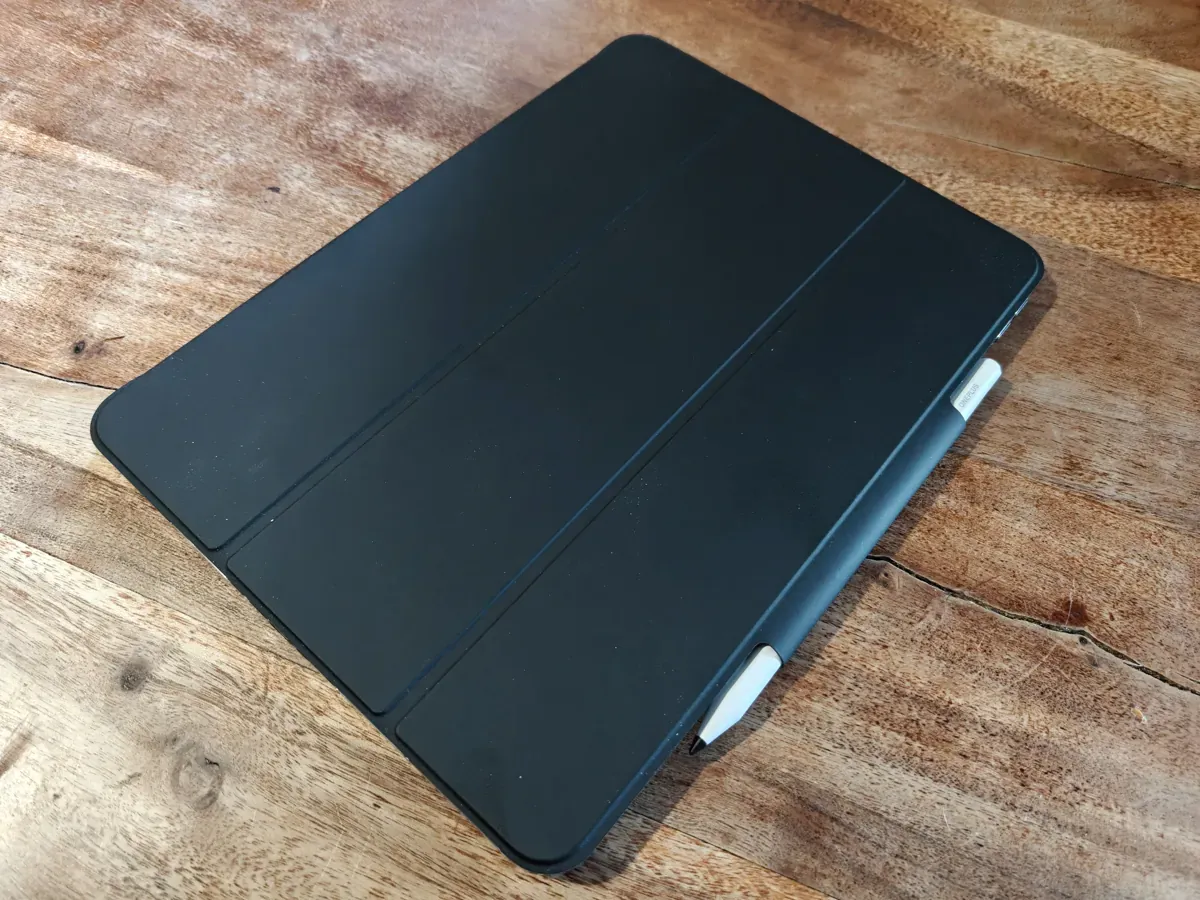
For work, I'd type out reviews with the tablet on its kickstand case somewhere on the table and with the Bluetooth keyboard on my lap, after which I'd upload the documents directly to their respective destinations or use the built-in connectivity to move them around to another device.
For photo editing, the quick sharing off my OnePlus 15 proved more than useful to transfer files in their native format between devices, and I appreciate how immensely accurate the OnePlus pen proved to be for fine-tuning edits or signing documents. I was also happy to find that within the ecosystem I could take calls and answer texts directly off the tablet when it was paired to my OnePlus 15, which cut down on needless back and forth that would disturb my workflow.
 Joonatan Itkonen
Oh, and there's still a camera on the tablet, but it's not a strength in any capacity. It's fine for scanning the odd document here and there, but I still found it easier and clearer to just my phone for this.
Finally, I work with comics as a hobby, so I was excited to test out the capability of the new OnePlus Stylo-pen that comes as an optional accessory to the tablet. OnePlus says the Stylo has over 4000 pressure points for maximum accuracy, and I believe them. Whether filling out forms or doodling out framing suggestions for better artists, the Stylo worked tremendously.
On top of that, the Stylo has over 20 hours of battery life and a quick USB-C charge, which makes it an ideal companion for budding artists. I do wish there was a better way of storing it, though. The current case with a strap is fine, but it's still a far behind of the immaculate way Apple's pen just clicks into place.
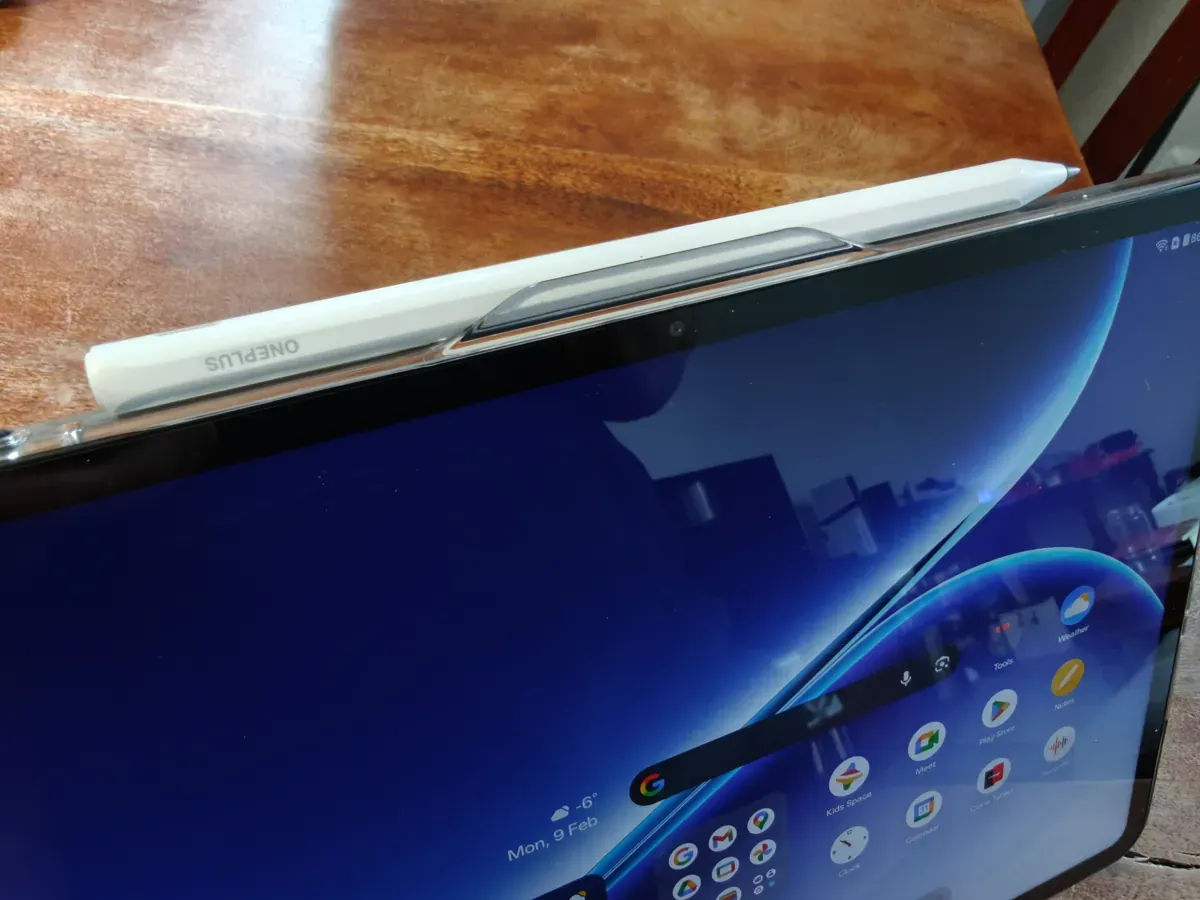
But the most important thing is how the pen feels to use, and OnePlus does not disappoint. The soft rubber tip is extremely comfortable for even longer sessions and the Stylo is just the right size to feel like a regular pen. The physical button on the side has a multi-use functionality that is always welcome, and we've come to the point where styluses are so reliable that – and repeat after me – you just don't think about them anymore. I love it.
I was a bit bummed to see that Google has now hogged ownership of the Open Canvas, which used to be a OnePlus staple. In their typical fashion, Google has made it lesser than it used to be, and while it's still one of the best innovations that Android has seen, you can tell where Alphabet has found a way to their very common L once again.
When it comes to the other stuff, like gaming and media consumption, I have very few complaints. Yes, some of the more demanding titles will struggle straight on the device. The 8GB of RAM will see to that, and it is a bit of a shame that OnePlus, known for their "throw everything in" approach, didn't throw in the extra 4GB for future proofing. But in this day and age where AI has ravaged the market, it's not entirely fair to hate on them for playing it safe.
Would I use the OnePlus Pad Go 2 as my daily driver and laptop replacement? Not yet. It's just out of reach for my use cases, but I would recommend it for my mom or younger relatives who don't want the hassle of a laptop. In the past, it used to be that only an iPad would suffice as a true replacement thanks to the ecosystem and readily available apps. Today, I could see someone with a lighter workload or lesser needs picking a 349€ tablet instead. It will do everything you need, just as long as you're willing to get a Bluetooth keyboard to pair with it.
If and when OnePlus updates their flagship lineup and delivers a tablet with their own keyboard, I think then we'll have to have an entirely different conversation about laptop replacements. I know that for festivals, I'd love nothing more than to try out a full workload with a light and simple-to-use tablet. That would be wild.
Verdict
When reviewing a device like the OnePlus Pad Go 2, you have to consider the price and the target audience. You don't pit it against an iPad Pro that costs 1200 Euros, nor do you compare it to the top-of-the-line Samsung pads, either. Instead, you look at the competition and what it delivers for the audience that demands a middle ground of form and function.
In that regard, the OnePlus Pad Go 2 represents the sensible and practical leap we've come to expect from the company in their phone department. It is as close to a flagship killer as a tablet can be. At the 349€ price point, it is aggressively competitive in price, especially when you consider the SD-card expansion on top of the already perfectly acceptable 256gb starting storage.
The battery life ensures longevity, the five years of OS updates mean you can easily buy it once and not worry about security, and there's finally a sense that OnePlus has figured out their software ecosystem into a place resembling Apple's.
I would really argue that as hardware plateaus in terms of gains per year, most people will flock to the devices that offer compatibility and ease of use. In that regard, OnePlus is in a perfect place to compete in Europe. Using their phone and tablet together for a month certainly has me eyeing their other more higher-end devices, already dreaming up ways to streamline my productivity even further.
If you're on the lookout for a new laptop and feel overwhelmed by both price and choice, there's no reason to settle for a buggy and lesser device anymore. At this price point, the OnePlus Pad Go 2 delivers a better hardware and software experience than most laptops. It's a quietly marvelous device that everyone should strongly consider as a productivity tool that doesn't feature a silver fruit on the cover.